Booking train tickets online has become one of the easiest ways to plan a journey. In the past, passengers often had to visit railway stations, stand in long queues, and wait for their turn to purchase tickets. Today, internet access and digital booking platforms allow people to search for trains, check seat availability, compare fares, and reserve tickets from their homes.
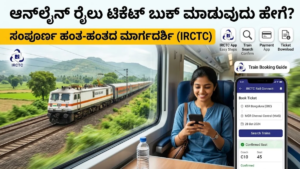
Online train ticket booking is useful for students, employees, families, tourists, and business travellers. Whether you are planning a short journey to a nearby city or a long-distance trip, booking your ticket online can save time and make travel planning more convenient.
However, some people who are unfamiliar with online services may find the process confusing. They might not know which website to use, how to create an account, how to select a train, or how to complete the payment.
This article explains how to book train tickets online, step by step. It also covers the documents and details required, available payment methods, ticket confirmation, cancellation procedures, safety tips, and frequently asked questions.
1. What Is Online Train Ticket Booking?
Online train ticket booking is a digital service that allows passengers to purchase railway tickets through an official website or authorised mobile application.
Instead of visiting a railway reservation counter, passengers can enter their travel details, select a suitable train, provide passenger information, and pay electronically.
After successful booking, the system generates an electronic ticket, commonly known as an e-ticket. This ticket contains important journey information, such as the train number, travel date, boarding station, destination, passenger details, and booking reference.
In India, the Indian Railway Catering and Tourism Corporation (IRCTC) provides the principal online reservation service for Indian Railways.
Travellers in other countries can use their respective national railway websites or authorised booking platforms.
2. What Do You Need Before Booking a Train Ticket Online?
Before beginning the booking process, prepare the following information and resources.
A. A mobile phone or computer
You can book train tickets using a smartphone, tablet, laptop, or desktop computer. Your device should have a reliable internet connection.
B. An active email address and mobile number
Many booking platforms require an email address and mobile number for account registration, verification, booking notifications, or payment confirmation.
C. An account on the booking platform
For reserved train tickets in India, you generally need an IRCTC account. Creating an individual account on the official IRCTC website is free.
Official website: https://www.irctc.co.in/
D. Journey information
You should know your departure station, destination station, preferred travel date, and approximate departure time.
E. Passenger information
Keep the required passenger details ready, including names, ages, genders, and any other information requested by the booking platform.
Enter names carefully and follow the applicable railway rules.
F. An online payment method
Depending on the platform, you may pay through UPI, debit card, credit card, net banking, or another supported digital payment option.
Preparing these details in advance can make the booking process quicker and reduce the possibility of mistakes.
3. Step-by-Step Guide to Booking Train Tickets Online
The following steps explain the general booking process, using India’s IRCTC reservation system as an example.
Step 1: Visit the Official Railway Booking Website
Open a web browser on your device and visit the official IRCTC website:
Check the website address carefully before entering personal information. Avoid unfamiliar websites that promise guaranteed reservations or unusually cheap tickets.
If you prefer using a mobile phone, you can use the official IRCTC Rail Connect application available through recognised app stores.
Step 2: Create an Account or Log In
If you are a new user, select the registration option and complete the requested information.
You may need to provide a username, password, name, contact details, and other required information. Follow the website’s instructions to complete any mobile or email verification.
Once registration is complete, return to the login page and sign in using your account credentials.
If you already have an account, you can proceed directly to login.
Keep your password private and never share a one-time password (OTP) with another person claiming to be a railway representative.
Step 3: Enter Your Departure and Destination Stations
After logging in, find the train search or ticket booking section.
Enter the station from which you want to begin your journey in the departure field. Next, enter your destination station.
For example, suppose you want to travel from Bengaluru to Chennai. You would enter Bengaluru as your departure location and Chennai as your destination.
Check the station names carefully because large cities sometimes have multiple railway stations.
Selecting the wrong station could result in an inconvenient journey or an incorrect reservation.
Step 4: Select Your Travel Date
Choose the date on which you want to travel.
Make sure that the selected date matches your actual travel plan. If your journey begins late at night and continues after midnight, pay attention to the departure date displayed in the booking details.
You should also check the advance reservation period applicable to your train. Booking windows can vary according to railway rules, train services, and special quotas.
Booking early can improve your chances of finding a suitable train and available accommodation, although availability is never guaranteed.
Step 5: Search for Available Trains
After entering the departure station, destination station, and travel date, select the search option.
The website will display trains operating on your selected route, subject to the search criteria.
The results generally include information such as:
- Train name and number.
- Departure and arrival times.
- Travel duration.
- Operating days.
- Available travel classes.
- Seat or berth availability.
- Applicable ticket fares.
Review the available options instead of selecting the first train automatically.
Choose a service that suits your schedule, budget, and preferred arrival time.
Step 6: Choose the Train and Travel Class
Once you find a suitable train, select your preferred travel class.
Depending on the train, options may include general seating, sleeper accommodation, air-conditioned classes, or chair-car seating.
Different classes offer different levels of comfort, facilities, and pricing.
For example, a sleeper class may be suitable for travellers seeking a lower-cost overnight journey, while an air-conditioned class may be preferable for passengers who prioritise additional comfort.
Before proceeding, check the fare and availability for the selected class.
Availability may be shown as confirmed accommodation, RAC, waitlist, or another status depending on the service and booking system.
Understand the displayed status before making payment, particularly if you require a confirmed reservation.
Step 7: Enter Passenger Details
After selecting the train and class, continue to the passenger information page.
Enter the required details for every traveller included in the booking.
These may include:
- Passenger name.
- Age.
- Gender.
- Preferred berth or seat, where applicable.
- Contact information requested by the platform.
- Any other mandatory booking details.
Review all information carefully before moving forward.
A spelling error or incorrect passenger detail may create difficulties during the journey. Follow the railway’s rules concerning passenger information and corrections.
If you are booking for children, senior citizens, or passengers who need special assistance, check the applicable conditions and facilities.
Remember that a berth preference is generally a request rather than a guarantee.
Step 8: Review Your Booking Information
Before payment, carefully review the complete journey information.
Confirm the following details:
- Departure and destination stations.
- Train name and number.
- Date of travel.
- Departure and arrival times.
- Travel class.
- Passenger names and other details.
- Seat or berth availability.
- Total fare and applicable charges.
Check the boarding station as well. Some trains stop at multiple stations in the same city or metropolitan area.
If you notice an error, correct it before completing the transaction whenever the platform permits.
This review is important because correcting a booking after payment may involve additional procedures, charges, or restrictions.
Step 9: Select a Payment Method
After reviewing your information, proceed to the payment page.
Select one of the payment methods offered by the booking platform. Common options in India include UPI, debit cards, credit cards, and net banking.
Follow the payment instructions displayed on the secure payment page.
If an OTP or other authentication method is required, complete the verification yourself. Never share banking passwords, card PINs, or OTPs with another person.
Wait until the transaction has been processed and the booking system displays the result.
Avoid repeatedly clicking the payment button if the page appears slow. First check whether the payment or booking has already been completed.
Step 10: Confirm Your Ticket
After successful payment and reservation, the booking platform should display the ticket details.
Your e-ticket generally contains a booking reference known as the PNR, or Passenger Name Record, along with the journey and passenger information.
You may also receive a confirmation message by SMS or email, depending on the service and the contact details provided.
Save the ticket on your phone or download a copy for future reference.
Important: A successful payment alone does not necessarily mean that a ticket has been confirmed. Check the booking status and PNR to verify the outcome.
If the payment succeeds but the booking status is unclear, check your booking history and payment status before attempting another booking. This can help prevent duplicate transactions.
4. How to Book Train Tickets Using a Mobile Application
Booking through a mobile application follows almost the same process as booking through a website.
First, install the official railway booking application from a trusted app store. Check the developer’s name to avoid downloading an imitation application.
Open the app and log in to your account. Enter the departure station, destination, travel date, and other search details.
Browse the available trains and select your preferred service and class.
Next, enter the passenger information, review the fare, and complete the payment through a supported method.
After successful booking, open the booking history or ticket section to view your e-ticket and PNR.
Mobile applications can be particularly convenient because you can check your booking details while travelling, receive notifications, and manage reservations without opening a computer.
However, always keep your phone charged and maintain access to your ticket information.
5. How to Choose the Best Train for Your Journey
Selecting the right train can make a significant difference to your travel experience.
Consider the following factors before booking.
Travel time: Compare the duration of different trains. A slightly more expensive train may save several hours.
Departure and arrival schedules: Select timings that suit your plans. Consider how you will reach the station and travel onward after arrival.
Ticket price: Compare fares across the available classes and services.
Seat availability: If you require a confirmed seat or berth, examine the current availability before proceeding.
Comfort and facilities: Consider air conditioning, sleeping arrangements, food availability, and other relevant amenities.
Station location: Check whether the departure and arrival stations are convenient for your accommodation or final destination.
By comparing these factors, you can make a more informed decision rather than choosing a train based on price alone.
6. What Is a PNR Number?
PNR stands for Passenger Name Record. It is a reference number associated with a railway reservation.
Passengers can use the PNR to check their booking status and related journey information through the official railway enquiry services.
Depending on the reservation, the status may indicate confirmed accommodation, RAC, waitlist, or another booking condition.
If your ticket is waitlisted, do not assume that it will automatically become confirmed. Check the latest status and applicable rules before travelling.
Keep your PNR accessible because it can be useful when checking the reservation, reviewing journey information, or seeking assistance.
7. How to Cancel a Train Ticket Booked Online
Travel plans sometimes change because of work, emergencies, or personal reasons. Many online railway booking platforms allow eligible tickets to be cancelled electronically.
To cancel a reservation booked through IRCTC, sign in to your account and open the booked ticket history or relevant booking management section.
Select the appropriate ticket and follow the cancellation instructions.
Review the passenger selection carefully if you are cancelling only part of a group reservation.
Before confirming the cancellation, check the applicable cancellation rules, deadlines, and potential deductions.
Refunds depend on the ticket type, booking status, timing of cancellation, and the relevant railway regulations.
If your payment was deducted but no ticket was issued, follow the official platform’s instructions for checking the transaction and seeking assistance rather than immediately purchasing another ticket.
Always keep the cancellation reference and any refund-related messages until the matter is resolved.
8. Common Problems During Online Train Ticket Booking
Although online booking is convenient, passengers may occasionally experience technical difficulties.
Website or application is slow
Heavy traffic or an unstable internet connection can delay the booking process. Use a reliable connection and avoid refreshing the page repeatedly while a transaction is processing.
Payment fails
A payment may be declined because of insufficient funds, a bank issue, an expired session, or a verification problem. Check the transaction status before trying again.
No seats are available
If your preferred class is full, you can check other trains, travel dates, classes, or eligible booking options.
Passenger details are incorrect
Review the information before payment. If a mistake is discovered after booking, consult the official railway rules to determine whether correction is possible.
Ticket confirmation is not displayed
Open your booking history and check the PNR or transaction status. Do not assume that a missing confirmation screen means the booking failed.
If the problem remains unresolved, use the official railway customer support service.
9. Safety Tips for Booking Train Tickets Online
Online booking is most useful when passengers protect their personal and financial information.
Follow these precautions:
- Use the official railway website or an authorised booking platform.
- Verify the website address before logging in.
- Keep your password and OTP private.
- Avoid making payments through links sent by unknown people.
- Do not share card PINs, banking passwords, or confidential account details.
- Use a secure internet connection when making payments.
- Check the complete fare before confirming the reservation.
- Save your ticket and payment reference.
- Carry the required identification when travelling.
- Read the applicable cancellation and refund rules before booking.
Be cautious of anyone promising guaranteed confirmed tickets through unofficial methods. Use legitimate booking channels and follow the railway’s reservation policies.
10. Advantages of Booking Train Tickets Online
Online train ticket booking offers several benefits.
Convenience: Passengers can reserve eligible tickets without visiting a railway counter.
Time savings: Searching for trains and comparing fares can be completed in one place.
Easy comparison: Travellers can review schedules, classes, fares, and availability before making a decision.
Digital records: E-tickets and booking references make it easier to access journey information.
Flexible management: Depending on the ticket and railway rules, passengers may be able to review, cancel, or manage reservations online.
Better travel planning: Booking in advance can help travellers organise accommodation, transport, and other activities.
These advantages make online reservations useful for both occasional travellers and people who travel regularly.
Frequently Asked Questions (FAQs)
1. Can I book a train ticket online without visiting a railway station?
Yes. You can book eligible train tickets through an official railway website or authorised mobile application, provided you meet the applicable booking requirements.
2. Is online train ticket booking available 24 hours a day?
Many railway booking services support online reservations beyond the operating hours of physical reservation counters. However, availability may be affected by scheduled maintenance, service interruptions, or booking restrictions.
3. Can I book tickets for my family members?
Yes. Online booking platforms generally allow you to include multiple passengers in one reservation, subject to passenger limits and applicable rules.
4. Do I need to print my e-ticket?
For eligible Indian Railways e-tickets, a printed copy is generally not necessary if you can display the ticket or relevant electronic booking details and present the required valid identification. Follow the current rules for your particular ticket and service.
5. What should I do if money is deducted but no ticket is confirmed?
Check your booking history, transaction status, and any messages from the booking platform. Follow the official refund or support procedure if no valid ticket was issued. Avoid paying again until you have checked the status of the first transaction.
6. Can I change my journey date after booking?
Changes to a confirmed ticket’s journey date are subject to the applicable railway rules and may require cancellation and a new booking. Check the official conditions before taking action.
7. Can I book a ticket at the last minute?
Last-minute reservations may be possible if eligible accommodation is available. Indian Railways also has Tatkal booking provisions for eligible trains and classes, subject to specific requirements, booking windows, and restrictions.
8. How can I check whether my ticket is confirmed?
Use the PNR enquiry facility on the official railway website or application to view the latest reservation status.
Conclusion
Booking train tickets online is a practical way to organise railway travel quickly and conveniently. By using an official booking platform, entering accurate passenger information, comparing available trains, checking seat availability, and completing the payment carefully, even a first-time traveller can learn the process.
The most important steps are to select the correct stations and travel date, review the fare and reservation status, protect your payment information, and verify the ticket after booking.
Keep your e-ticket and PNR accessible, check your journey details before departure, and follow the railway’s current travel and identification requirements.
With a little preparation, online train ticket booking can become a simple part of planning a comfortable, well-organised journey.