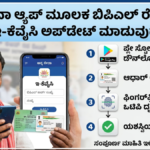
The Karnataka government has introduced digital services to help eligible beneficiaries access information about welfare scheme payments. One useful option is the DBT Karnataka App, which allows users to check payment-related information available through the state’s Direct Benefit Transfer system and verify their Aadhaar-linked bank account seeding status.
For people receiving financial assistance under Karnataka government welfare programmes, knowing how to access payment information can make it easier to understand whether a transaction has been recorded in the system. It can also help beneficiaries identify potential issues with bank account linking before contacting the concerned authorities.
The application is particularly useful for individuals who want to check their available payment records from home instead of visiting a government office for every enquiry. However, the information displayed depends on the records available in the system, and some payment-related issues may require additional verification.
In this guide, you will learn what the DBT Karnataka App does, how to download it, how to check available payment information, why Aadhaar bank seeding matters, and what steps to take if an expected government benefit has not appeared in your account.
What Is the DBT Karnataka App?
DBT stands for Direct Benefit Transfer, a mechanism through which eligible beneficiaries receive government financial assistance directly into their bank accounts.
The Karnataka government’s DBT platform supports the administration of payments associated with beneficiary-oriented welfare schemes. The mobile application provides access to certain details maintained in the system, helping users review available transaction information and bank-seeding status.
The application is listed on Google Play under the developer name Director of e-Governance, Government of Karnataka. Users should verify the publisher details before installing the app to avoid downloading an unofficial application.
The app may help beneficiaries understand the payment information recorded for their accounts. Nevertheless, it should not be treated as a guarantee of future payments, final confirmation of scheme eligibility, or a replacement for official communication from the relevant department.
Main Features of the DBT Karnataka App
The application is intended to make selected DBT-related services accessible through a smartphone. Its available features may depend on the current version of the app and the information accessible to the user.
1. Check Government Scheme Payment Information
One of the main reasons beneficiaries may use the app is to review government benefit payment information available through Karnataka’s DBT system.
If a payment transaction has been recorded and the relevant information is available, users may be able to review details associated with their benefits. This can help them understand whether a transaction appears in the available records.
For example, someone waiting for a welfare payment can check the information displayed in the app and compare it with their bank statement.
However, a payment entry in the DBT system and the final availability of money in a bank account are not necessarily the same thing. If the amount is not visible in the bank account, beneficiaries should confirm the transaction with their bank or the relevant government department.
2. Verify Aadhaar Bank-Seeding Status
Aadhaar bank seeding refers to linking a person’s Aadhaar number with a bank account for applicable Aadhaar-based services and benefit transfers.
For certain government payments, the correct Aadhaar-bank mapping is important. If the required linking or mapping is incomplete, a transaction may encounter difficulties during processing.
The DBT Karnataka App provides a facility to check the available bank-seeding status. Beneficiaries can use this information to identify whether further verification may be necessary.
If the displayed status appears incorrect or does not reflect a recent update, contact your bank and ask whether the necessary Aadhaar linking and mapping requirements have been completed.
Remember that linking Aadhaar to a bank account and ensuring that the account is correctly mapped for a particular payment system are related but distinct matters.
3. View Available Payment Dates and Bank Details
The application can provide access to available payment-related information, including transaction dates and associated bank account details.
This information can help beneficiaries compare the records displayed in the system with their personal banking records.
For instance, if a payment appears in the app but has not been identified in the passbook, the beneficiary can use the available transaction details when contacting the bank or the scheme office.
The precise details displayed may vary depending on the transaction, the services supported by the current app version, and the information available in the government system.
4. Access Services From a Smartphone
Digital access makes it easier for beneficiaries to check information without immediately travelling to a government office.
People who live far from administrative centres may find this especially convenient. They can first review the information available on their phones and determine whether further assistance is required.
Although digital services can reduce unnecessary visits, certain corrections, eligibility questions, payment disputes, and identity-verification matters may still need to be handled through authorised officials.
How to Download the DBT Karnataka App in 2026
Android users can follow these steps to locate and install the application.
Step 1: Open Google Play Store
Unlock your Android smartphone and launch the Google Play Store application.
Step 2: Search for the official application
Enter “DBT Karnataka” in the search bar. Review the search results carefully because applications with similar names may not be official.
Step 3: Verify the developer
Before installing the application, confirm that the publisher is listed as the Director of e-Governance, Government of Karnataka.
Also check the application’s description and other available listing information.
Step 4: Install the app
Open the verified listing and select the installation option. Wait until the application has finished installing on your device.
Step 5: Open the application
Launch the app and follow the instructions displayed on the screen. If login, identity verification, or another authentication step is required, complete it using the official process.
Step 6: Select the relevant service
Look for the available options relating to payment information, beneficiary details, or Aadhaar bank-seeding status.
The menu names and screen layout may change when the application is updated.
Step 7: Review the information
Check the details shown on the screen and compare any relevant transaction information with your bank statement or passbook.
If something appears incorrect, avoid assuming that the payment has been rejected. Verify the information through the appropriate bank or government support channel.
Official download page:
How to Check DBT Karnataka Payment Status Online
Beneficiaries can use the application’s available services to review payment-related records. The following general process may help you navigate the service.
- Open the official DBT Karnataka App on your smartphone.
- Complete the login or verification process requested by the application.
- Find the section relating to payment status, transaction details, or beneficiary information.
- Select the relevant option and provide any information requested by the official interface.
- Review the payment records displayed on the screen.
- Note any available transaction dates or reference details.
- Compare the displayed information with your bank statement.
The exact steps may differ depending on the current application version and the services available for your account.
If the expected transaction is not displayed, check whether the relevant payment has been processed and whether the system has been updated. You may also need to confirm your scheme status with the responsible department.
Important: The absence of a transaction entry does not, by itself, prove that your application has been rejected or that you are no longer eligible for assistance.
How to Check Aadhaar Bank-Seeding Status
Aadhaar bank-seeding verification is an important step for beneficiaries whose payments require Aadhaar-based processing.
You can begin by opening the DBT Karnataka App and locating its bank-seeding status service.
Follow the instructions provided in the application to view the status available for your account. If the result indicates that further action may be required, contact your bank for clarification.
When speaking with bank staff, ask whether:
- Your Aadhaar number is linked to the intended bank account.
- The required Aadhaar mapping has been completed for applicable benefit transfers.
- Your account is active and able to receive credits.
- Any additional verification or correction is pending.
Do not share your ATM PIN, internet banking password, or OTP with anyone claiming to help you check the status.
If a bank employee advises you to complete a correction, use the bank’s authorised procedures and retain any acknowledgement provided.
Can Gruha Lakshmi Beneficiaries Check Payment Details?
The Gruha Lakshmi scheme is a Karnataka government welfare programme that provides financial assistance to eligible women under the applicable scheme rules.
Beneficiaries who are waiting for a Gruha Lakshmi instalment may find DBT-related information useful when investigating whether a payment has been recorded.
However, the availability of Gruha Lakshmi transactions in the app depends on the records and services accessible through the system. The application should not be considered a guarantee that every instalment will appear immediately or that all scheme-related questions can be resolved through the app alone.
If an expected instalment is missing, follow these steps:
- Check the DBT Karnataka App for any available transaction information.
- Review your bank statement or passbook for recent credits.
- Verify the relevant Aadhaar bank-seeding status if applicable.
- Confirm your beneficiary or scheme status through an authorised channel.
- Contact the appropriate scheme office if the issue remains unresolved.
Payment delays can arise for different reasons, including processing issues, record mismatches, or administrative verification. The actual cause must be confirmed through the relevant official records.
Why Is Your DBT Payment Not Showing?
There can be several reasons why a government benefit is not visible in the app or bank account.
1. The payment has not been processed
A payment may still be awaiting approval, processing, or release by the responsible authority. The app cannot guarantee when a pending transaction will be completed.
2. Aadhaar bank mapping needs verification
If the relevant Aadhaar-based payment requirements have not been completed correctly, the transaction may require further attention.
Contact your bank to verify the linking and mapping status.
3. The bank account has an issue
An inactive account, incorrect account information, or another banking restriction may affect the receipt of funds.
Check your account status directly with the bank.
4. Government records need updating
Differences in beneficiary information or other administrative records may require correction by the responsible department.
Ask the relevant office to review your records if you suspect an error.
5. The transaction information has not updated
There may be a difference between the time a transaction is processed and the time its information becomes visible through a digital service.
Check again later and verify the actual credit through your bank.
6. Your eligibility or approval needs confirmation
Not every missing payment is caused by a technical problem. Some cases may involve pending verification, scheme-specific conditions, or an administrative decision.
Contact the responsible scheme authority for clarification rather than assuming the payment has been approved or rejected.
What to Do If Your Government Payment Is Delayed
If you have checked the app and cannot identify the expected payment, follow a systematic approach.
First, check your bank records. Review your passbook, bank statement, or official banking application to see whether the money has been credited.
Second, verify the DBT information. Review the payment details available in the official application and note any transaction references or dates.
Third, check Aadhaar bank seeding. If your scheme requires Aadhaar-based transfers, ask your bank to confirm the relevant linking and mapping status.
Fourth, confirm your scheme details. Contact the department responsible for the particular welfare programme to determine whether your beneficiary information and payment approval are in order.
Finally, request assistance through official channels. If the issue continues, provide the information requested by authorised officials and retain any complaint or acknowledgement number you receive.
Avoid paying unofficial agents who promise guaranteed payment releases or immediate approval.
Important Safety Tips for DBT Karnataka App Users
Because the application may involve personal and banking-related information, users should take sensible precautions.
- Download the app only from a verified official listing.
- Check the developer name before installation.
- Never share an OTP, ATM PIN, UPI PIN, or banking password.
- Do not enter sensitive details on suspicious websites or links.
- Avoid installing mobile applications sent by unknown people.
- Do not pay anyone who promises to release a government instalment in exchange for a fee.
- Keep your phone and applications updated.
- Use official bank and government channels when requesting corrections.
If someone contacts you claiming that your government benefit will be cancelled unless you provide an OTP or make a payment, treat the request as suspicious.
Frequently Asked Questions (FAQs)
1. What is the DBT Karnataka App used for?
The application provides access to selected services related to Karnataka’s Direct Benefit Transfer system, including available payment information and Aadhaar bank-seeding status.
2. Is the DBT Karnataka App free?
The official Google Play listing provides the application’s installation information. Check the current listing for the latest details and requirements.
3. Where can I download the official app?
You can visit the following Google Play page:
Verify the publisher before installing the application.
4. Can I check Gruha Lakshmi payments using the app?
You may be able to view relevant payment information if the records are available through the DBT system. For missing instalments or scheme-specific issues, contact the responsible department.
5. Does a missing payment entry mean my application has been rejected?
No. A missing entry alone does not establish rejection. The payment may be pending, the information may not have updated, or further verification may be necessary.
6. What should I do if my Aadhaar bank-seeding status is incorrect?
Contact your bank and ask it to verify your Aadhaar linking and the applicable bank-mapping status. Follow the bank’s authorised correction process.
7. Can the app guarantee when I will receive my money?
No. The app displays information available through the system. Actual payment timing depends on scheme rules, approval, processing, and the relevant government and banking procedures.
8. What should I do if the app does not open or display information?
Check your internet connection, update the application if an update is available, and try again. If the issue continues, use the official app support or relevant government department’s contact channels.
9. Is it safe to share my OTP with someone helping me check DBT status?
No. Never share an OTP, banking PIN, or password with an unknown person. Use only the official authentication process provided by the application or your bank.
10. Do I need to visit a government office to check payment information?
Not necessarily. You can first check the information available through the application and your bank. An office visit or official complaint may be needed if your records require correction or the payment remains unresolved.
Conclusion
The DBT Karnataka App is a useful digital option for beneficiaries who want to review available government benefit payment information and verify their Aadhaar bank-seeding status. It can help users investigate payment-related questions, compare transaction information with bank records, and identify whether further assistance may be necessary.
To use the service safely, download the application from its verified Google Play listing and follow the instructions provided in the official interface. If a payment is missing, check your bank account, confirm the relevant seeding requirements, and contact the department responsible for your scheme.
Remember that checking payment information is only one part of the process. Eligibility, approval, transaction processing, and the final credit of funds remain subject to the applicable scheme rules and official records.
Disclaimer: This article is intended for general informational purposes only. It is not an official government notification and does not guarantee eligibility, payment approval, or disbursement. App features and procedures may change. Always verify important information through official government and banking channels.