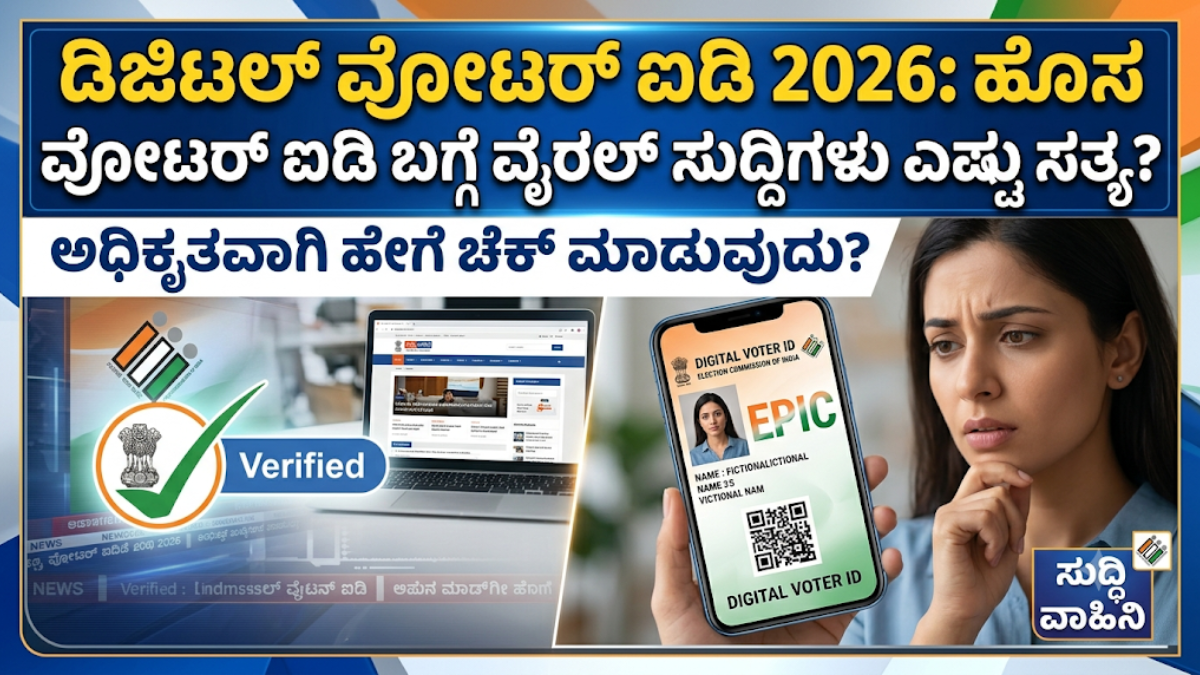
India’s voter identification system has increasingly moved toward digital services, making it easier for eligible citizens to access and verify their electoral information online. Instead of depending entirely on a physical voter card, voters can use official digital services to check their registration details and, where eligible, obtain a digital copy of their Electoral Photo Identity Card (e-EPIC).
If you have recently participated in an electoral roll revision process, including a Special Intensive Revision (SIR) exercise where applicable, it is a good idea to verify that your name and other details are correctly reflected in the electoral roll. You can then use the official voter services platform to check whether a digital voter ID is available for download.
What Is a Digital Voter ID?
A digital voter ID, commonly referred to as an e-EPIC, is an electronic version of the Electoral Photo Identity Card issued to registered voters. It can be stored on a smartphone, computer, or other digital device.
The digital version can be useful when you want convenient access to your voter information without carrying the physical card everywhere. However, voters should remember that simply downloading a digital card does not itself create voter registration. Your name must already be present in the electoral roll.
What Is SIR?
SIR stands for Special Intensive Revision. It is an electoral-roll revision exercise undertaken by election authorities in specified circumstances to verify and update voter information.
During such a revision, electoral information may be checked and updated, and voters may need to provide or confirm information depending on the applicable process and instructions in their area.
Importantly, completing or participating in an SIR process does not automatically mean that every voter receives a completely new voter ID card. Your eligibility for an e-EPIC and the information displayed on it depend on your electoral-roll status and the official records maintained by the election authorities.
Therefore, avoid relying on social-media messages claiming that a “new voter ID is compulsory for everyone” unless the information has been confirmed through an official election authority.
Why Should You Check Your Voter Information?
Regularly checking your electoral information can help you identify mistakes before an election. You should verify important details such as:
- Your name in the electoral roll
- Your voter identification details
- Your photograph, where displayed
- Your age or date-of-birth information, where applicable
- Your residential address
- Your polling-station information
- Your constituency details
If you discover an error, use the appropriate official voter service for correction rather than relying on unofficial websites or agents.
How to Download Your Digital Voter ID
The process can generally be completed online using the official voter-services system.
Step 1: Use the Official Election Services Website
Open the official Election Commission voter-services platform from your mobile phone or computer. Be careful when searching online because unofficial websites may use similar names, logos, or headlines.
Step 2: Log In or Register
If the service requires an account, sign in using your registered credentials. New users may need to create an account using the information requested by the official platform.
Never share your login password, OTP, or other confidential authentication information with another person.
Step 3: Find the e-EPIC Service
After signing in, look for the option related to e-EPIC or digital voter ID. The exact layout and wording of the website may change as government services are updated.
Step 4: Enter the Required Details
Depending on the service, you may be asked to provide information such as your EPIC number or other voter-related details.
Enter the information carefully. If your details cannot be found, do not immediately assume that your voter registration has been cancelled. First verify your electoral-roll information through the official voter-search service.
Step 5: Complete Verification
The system may require identity or mobile-number verification. Follow only the instructions displayed on the official government website.
If an OTP is sent to your registered mobile number, enter it only on the official platform.
Step 6: Download the e-EPIC
If you are eligible and your information is available, the system should provide the applicable option to download your digital voter ID.
Save the downloaded file securely on your phone or another trusted device. You may also keep a backup for your personal records.
What If You Cannot Download the Card?
There can be several reasons why the digital card may not be immediately available. Your electoral information may require verification, your mobile number may not be linked as required, or the details entered may not match the official records.
In such cases, first check your voter registration status through the official voter-services system. If there is an issue with your electoral information, use the appropriate correction or update service.
You can also contact the official election helpline or your local election authorities for assistance.
Beware of Fake “Voter ID Download” Websites
The growing popularity of digital government services has also created opportunities for misleading websites and social-media posts.
Be particularly cautious about pages that:
- Ask you to pay an unnecessary fee for downloading an e-EPIC
- Request your OTP through WhatsApp or telephone
- Ask for banking or card information
- Promise an instant “new voter ID” without verification
- Claim that downloading a particular card is compulsory
- Use sensational headlines to pressure you into clicking immediately
A legitimate government service should be accessed through the official Election Commission or government portals.
Is a New Digital Voter ID Compulsory for Everyone?
Claims that every voter must immediately download a new digital voter ID in 2026 should not be accepted without checking official announcements.
Electoral-roll revision and digital voter-card services are separate concepts. A voter may need to verify or update electoral information during a revision process, while the availability and use of an e-EPIC depend on the official rules and the voter’s circumstances.
Therefore, the safest approach is simple: check your name and voter details through the official election services and follow the instructions provided there.
Keep Your Voter Information Updated
Your voter information should remain accurate, particularly if you have moved to a different address or noticed a spelling, photograph, or other discrepancy.
Using official online services can save time and allow you to identify potential problems well before polling day.
Remember that having a digital copy of your voter ID is convenient, but being correctly registered in the electoral roll is the key requirement for voting. Carrying or downloading a card does not substitute for electoral-roll registration.
Final Words
Digital voter services have made it considerably easier for citizens to access their electoral information from a mobile phone. If your details have recently been reviewed as part of an applicable electoral-roll revision, take a moment to verify your registration and check whether your e-EPIC is available.
Do not rush to click unofficial “Download Now” links simply because a message says that a new voter ID is compulsory. Instead, visit the official Election Commission voter-services platform, verify your information, and use the government-provided process to download your digital voter ID when eligible.
Keeping your electoral information accurate and using official sources is the safest way to stay prepared for upcoming elections.