Getting a permanent Driving Licence (DL) in Karnataka is an important step for anyone who wants to drive a two-wheeler or four-wheeler legally on Indian roads. If you have already received your Learner’s Licence (LL), you can apply for a permanent Driving Licence after completing the mandatory waiting period and fulfilling the eligibility requirements.
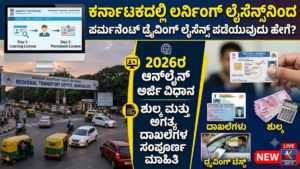
The Ministry of Road Transport and Highways (MoRTH) provides online driving licence services through the Sarathi Parivahan portal. Using this government platform, eligible applicants can submit their permanent DL applications, enter their Learner’s Licence information, pay the prescribed charges and schedule a driving test appointment, wherever online appointment booking is available.
The Karnataka Transport Department follows this online application system to make the licensing process more convenient. Applicants do not need to complete every stage through manual paperwork, although visiting the concerned Regional Transport Office (RTO) for the practical driving examination may still be necessary.
Whether you are applying for a motorcycle licence or a car licence, knowing the correct procedure can help you avoid mistakes and unnecessary delays.
In this detailed guide, we explain how to apply for a permanent Driving Licence in Karnataka in 2026, including eligibility rules, required documents, online application instructions, government fees, driving test procedures, application tracking and digital DL services.
Eligibility Criteria for a Permanent Driving Licence in Karnataka
Before submitting your permanent Driving Licence application, make sure you satisfy the conditions prescribed by the transport authorities.
The following are the main eligibility requirements:
- Valid Learner’s Licence: You must possess an active Learner’s Licence for the vehicle category for which you want to obtain a permanent DL.
- Mandatory waiting period: You can submit your application after completing 30 days from the date your Learner’s Licence was issued.
- Learner’s Licence validity: Your LL must remain valid when you apply and complete the relevant licensing formalities.
- Minimum age: You must meet the legal age requirement applicable to your selected vehicle category.
- Driving examination: You must successfully pass the practical driving test conducted under the supervision of the authorised testing officer.
- Correct vehicle category: Your application must include the appropriate class of vehicle, such as a motorcycle or light motor vehicle.
A Learner’s Licence generally remains valid for six months from its date of issue. Applicants should therefore plan their permanent DL application well in advance rather than waiting until the last few days of validity.
Important: Completing the 30-day waiting period makes you eligible to apply. It does not automatically provide a permanent licence. You must complete the prescribed application procedure and pass the applicable driving test.
Documents Required for a Permanent Driving Licence Application
Before visiting the Sarathi Parivahan website, arrange the necessary documents and personal information. Having everything ready will make the online application easier.
The commonly required documents and details include:
- Learner’s Licence: Your valid LL number and issue details.
- Identity proof: Aadhaar card, passport or another identity document accepted by the authorities.
- Address proof: An accepted residential address document, if requested.
- Age proof: An eligible document establishing your date of birth, wherever required.
- Application acknowledgement: The receipt or acknowledgement generated after submitting the online application.
- Payment receipt: Proof of successful payment of the applicable government charges.
- Appointment confirmation: The driving test booking acknowledgement, if an appointment has been scheduled online.
You may also need to provide original documents during your RTO visit for verification.
The exact document requirements can differ depending on the applicant’s information, licence category and services selected. Follow the document instructions displayed on the official Sarathi portal rather than assuming that every applicant needs to upload the same documents.
How to Apply for a Permanent Driving Licence Online in Karnataka
The Karnataka permanent DL application process is available through the official Sarathi Parivahan website.
Follow the instructions below to submit your application.
Step 1: Open the Official Sarathi Parivahan Website
First, open the Ministry of Road Transport and Highways’ official driving licence services website.
Official portal: https://sarathi.parivahan.gov.in/
Always check that you are using the government website before entering your personal information or making an online payment.
Step 2: Choose Karnataka as Your State
After opening the website, you will find an option to select your state.
Choose Karnataka from the available state list.
Once you select Karnataka, the portal will display the driving licence services available for applicants in the state.
Step 3: Select the New Driving Licence Service
Look for the Driving Licence-related services section.
Select the New Driving Licence option to begin the process of obtaining a permanent licence using your existing Learner’s Licence.
The portal may display instructions or an application procedure before allowing you to continue.
Step 4: Provide Your Learner’s Licence Details
You will be asked to enter the information associated with your Learner’s Licence.
Generally, the required details include:
- Learner’s Licence number.
- Date of birth.
Enter the information carefully and proceed.
The system will retrieve the available details linked to your LL. Check whether your personal information is displayed correctly before moving forward.
If your details cannot be retrieved, verify the licence number and date of birth. You may need assistance from the concerned RTO if the problem continues.
Step 5: Complete and Verify the Application Form
After your Learner’s Licence information is retrieved, review the application details.
Provide any additional information requested by the portal and confirm that your personal particulars are correct.
You must also select the appropriate vehicle category for which you want to obtain a permanent Driving Licence.
Some commonly used vehicle categories include:
- MCWG: Motorcycle With Gear.
- MCWOG: Motorcycle Without Gear.
- LMV: Light Motor Vehicle, generally covering eligible private cars.
Select the category that matches your Learner’s Licence and intended driving requirements.
Before submitting the application, carefully check your name, date of birth, address and other details. Incorrect information may cause delays during document verification or licence processing.
Step 6: Pay the Prescribed Government Fees
Once the application details have been completed, proceed to the online payment section.
The portal will display the applicable charges based on the services selected.
Use one of the available payment methods to complete the transaction.
After successful payment, save the transaction confirmation and download the payment receipt. Keeping a copy of this receipt can be useful when attending your RTO appointment or checking your application status.
If your payment is unsuccessful, check the transaction status before attempting another payment to avoid duplicate transactions.
Step 7: Schedule Your Driving Test Appointment
The next stage is booking your practical driving test.
Select the available appointment option and choose a suitable date and time, depending on the slots provided by your concerned RTO.
Appointment availability may vary according to the RTO, service and portal arrangements.
After successfully booking your slot, download or save the appointment acknowledgement.
Make sure you remember the scheduled date because missing your appointment may require you to book another available slot according to the applicable rules.
Step 8: Visit Your RTO and Attend the Driving Test
On your scheduled examination date, visit the selected Regional Transport Office.
Carry the necessary documents, including:
- Original Learner’s Licence.
- Application acknowledgement.
- Payment confirmation.
- Appointment receipt.
- Other documents requested by the RTO.
Arrive before your scheduled reporting time and follow the instructions provided by the testing officials.
The practical examination is intended to evaluate your ability to control and operate the selected vehicle safely. Depending on the vehicle category and applicable testing procedure, the examiner may assess vehicle handling, manoeuvring, observation, road awareness and compliance with traffic rules.
You must demonstrate that you can operate the vehicle confidently while following the prescribed safety requirements.
If you pass the test, your application can proceed to the next stage of verification and licence issuance.
Permanent Driving Licence Fees in Karnataka
Applicants must pay the government charges applicable to the permanent Driving Licence service.
The commonly prescribed central fee structure includes the following amounts:
| Service | Government Fee |
|---|---|
| Driving competence test | ₹300 |
| Issue of Driving Licence | ₹200 |
| Addition of another vehicle category | ₹500 |
These charges represent the prescribed service fees and should not be treated as a guaranteed final payment amount for every application.
Additional charges may apply depending on the selected services, applicable rules or other requirements.
For example, applicants requesting more than one vehicle category may have additional examination or service-related charges.
Before making payment: Always check the amount automatically calculated by the official Sarathi Parivahan portal. The amount displayed during your application is the relevant figure for your selected service.
How to Check Permanent Driving Licence Application Status in Karnataka
After attending your practical driving examination, you may want to know whether your permanent Driving Licence has been approved or is still being processed.
You can check the latest application information online through Sarathi Parivahan.
Follow these steps:
- Visit https://sarathi.parivahan.gov.in/.
- Select Karnataka from the state selection menu.
- Open the Application Status section.
- Enter your application number.
- Provide your date of birth as requested.
- Complete any verification displayed on the screen.
- Submit the information to view your application status.
The website will display the available updates associated with your application.
Depending on the processing stage, you may see information about application submission, driving test results, verification, approval or licence issuance.
If your application remains pending for an extended period, contact your concerned RTO and provide your application reference number to obtain further assistance.
How to Download Your Permanent Driving Licence Online
Once your permanent Driving Licence has been approved and issued, you can access its digital version through supported government platforms.
There are several ways to obtain your digital DL.
1. Download Through DigiLocker
DigiLocker is a government-supported digital document platform that allows users to access eligible official documents electronically.
To access your Driving Licence:
- Open the official DigiLocker website or mobile application.
- Sign in using your registered account.
- Complete the required authentication.
- Search for the Driving Licence document under the relevant issuing authority.
- Enter the requested licence information.
- Fetch your document if it is available.
- Access your digital Driving Licence through your DigiLocker account.
2. Access Your DL Through mParivahan
The mParivahan application provides access to several transport-related services.
You can use the application to retrieve eligible Driving Licence information.
Open the application, follow the licence search instructions and provide the necessary details to access your digital licence.
Make sure that the licence information displayed belongs to you and matches the details issued by the transport authority.
3. Use the Sarathi Parivahan Portal
You can also revisit the Sarathi Parivahan website to check the services available for an issued Driving Licence.
Depending on the options provided, you may be able to access licence-related information and available printing or download facilities.
Digital documents obtained through authorised government platforms are useful for accessing and presenting your licence information electronically, subject to applicable government rules.
What Happens If You Fail the Driving Test?
Passing the practical examination is necessary to receive a permanent Driving Licence.
If you do not pass the driving test, you will generally need to follow the prescribed retest procedure.
The applicant may be required to:
- Check the result of the driving examination.
- Follow the RTO’s instructions regarding a retest.
- Pay any applicable retest fee.
- Book another available examination appointment.
- Attend the test again on the scheduled date.
Use the time before your next examination to improve your driving skills.
Practise vehicle control, turning, braking, reversing and other manoeuvres relevant to your selected vehicle category. Also, make sure you understand traffic signs and basic road safety requirements.
The exact retest procedure and waiting period should be confirmed with your concerned RTO.
Important Tips Before Applying for a Permanent DL in Karnataka
Keep the following points in mind to complete your application without unnecessary complications:
- Apply only after completing the required 30-day waiting period.
- Make sure your Learner’s Licence is valid.
- Submit accurate personal information.
- Choose the correct vehicle category.
- Keep your identity and address documents ready.
- Save the online application acknowledgement.
- Retain the government payment receipt.
- Check your RTO appointment date and reporting time.
- Practise driving before attending the examination.
- Follow all instructions given by the testing officer.
- Track your application online after completing the test.
Most importantly, do not treat the permanent licence examination as a formality. Safe driving habits, proper vehicle control and awareness of traffic regulations are essential for every road user.
Frequently Asked Questions (FAQs)
1. When can I apply for a permanent Driving Licence after getting an LL in Karnataka?
You can apply after completing 30 days from the date of issue of your Learner’s Licence, provided it is still valid and you meet the other eligibility requirements.
2. How long is a Learner’s Licence valid in Karnataka?
A Learner’s Licence is generally valid for six months from its date of issue. You should complete the permanent DL application process within this validity period.
3. Can I apply for a permanent Driving Licence online in Karnataka?
Yes. You can submit your application online through the official Sarathi Parivahan portal by selecting Karnataka and following the New Driving Licence procedure.
4. Is visiting the RTO necessary for a permanent Driving Licence?
In the normal application process, applicants must attend the prescribed practical driving examination. You should visit the concerned RTO on the scheduled date and follow the instructions provided by the transport authorities.
5. Is a practical driving test compulsory for obtaining a permanent DL?
Yes. Applicants must pass the applicable practical driving test to obtain a permanent Driving Licence.
6. Can I apply for both a motorcycle and car licence?
Yes. You can apply for the relevant vehicle categories if you meet the eligibility requirements. Make sure the appropriate categories are included in your application and complete the required examinations.
7. What is the government fee for issuing a permanent Driving Licence?
The prescribed central fee for issuing a Driving Licence is ₹200. The driving competence test fee is ₹300. Additional charges may apply depending on the services selected.
8. How can I check my permanent DL application status?
Visit the Sarathi Parivahan website, select Karnataka, open Application Status and enter your application number and date of birth to view the available updates.
9. Can I download my Driving Licence without visiting the RTO again?
After the licence has been issued and the record is available, you can access your eligible digital DL through DigiLocker or mParivahan. Other printing or download services may also be available through Sarathi.
10. What should I do if my Learner’s Licence expires before applying for a permanent DL?
An expired Learner’s Licence cannot be used to complete the normal permanent DL application process. You will generally need to apply for a fresh Learner’s Licence and follow the applicable procedure.
11. Can I change my vehicle category while applying for a permanent licence?
Your permanent licence application must correspond to the eligible vehicle category covered by your Learner’s Licence. If you need another category, check the applicable addition-of-class procedure and requirements with the RTO.
12. How long does it take to receive a permanent Driving Licence in Karnataka?
The processing time can vary depending on your driving test result, document verification, RTO workload and licence issuance procedures. Check the application status online for the latest information.
Conclusion
Applying for a permanent Driving Licence in Karnataka has become more convenient with the online services available through the Sarathi Parivahan portal. Individuals who already possess a valid Learner’s Licence can begin the permanent DL application process after completing the mandatory 30-day waiting period.
The procedure involves selecting Karnataka on the official website, entering Learner’s Licence details, completing the application, paying the prescribed charges and scheduling a practical driving test.
After successfully passing the examination and completing the required verification, your permanent Driving Licence can be processed for issuance.
Before applying, make sure your Learner’s Licence is valid, your personal information is correct and all necessary documents are available. Following the official instructions carefully can help you complete the procedure more smoothly.
A Driving Licence is more than just an official document. It confirms that you have met the requirements to operate an authorised vehicle on public roads. Always drive responsibly, respect traffic regulations and make road safety your priority.
Related Government Services:
- Sarathi Parivahan: https://sarathi.parivahan.gov.in/
- Ministry of Road Transport and Highways: https://morth.nic.in/
- DigiLocker: https://www.digilocker.gov.in/
- Parivahan Sewa: https://parivahan.gov.in/