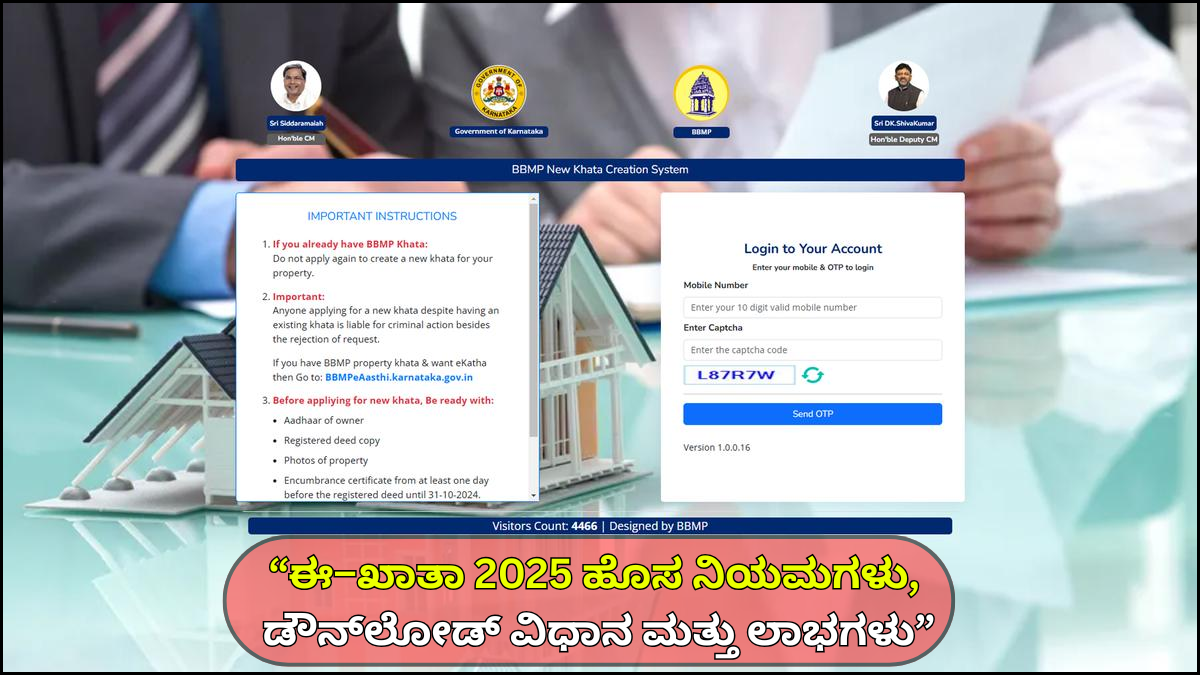
What is E-Khata in Karnataka?
A Khata is an official record that identifies property ownership within the jurisdiction of municipal corporations such as BBMP (Bruhat Bengaluru Mahanagara Palike), municipalities, and town panchayats. Traditionally, Khatas were issued manually as A-Khata or B-Khata. To modernize the process and ensure transparency, the Government of Karnataka introduced E-Khata, a digital version of the property account.
Key Features of E-Khata
- It is a digitally generated property ownership document.
- Contains property details such as owner name, property size, location, PID number, tax assessment details, and building usage.
- Helps in payment of property tax and proves that the property is legally registered with the local body.
- Accessible online through various government portals such as BBMP and Kaveri Online Services.
E-Khata is especially important for property owners in urban areas as it is required for:
- Property tax payment
- Building plan approvals
- Property transfers
- Buying or selling property
- Obtaining electricity/water connections
- Applying for loans
Difference Between Khata, A-Khata, B-Khata, and E-Khata
Before understanding how to download E-Khata, it’s essential to know the difference between various types of Khatas.
1. A-Khata
- Indicates that the property follows all government rules.
- Property tax has been paid up-to-date.
- Eligible for trade licenses, building approvals, and loans.
2. B-Khata
- Issued to properties with minor violations or missing approvals.
- Cannot be used for loans, trade licenses, or building permits.
- Property tax can be paid, but ownership rights are limited.
3. E-Khata
- Digital version of A-Khata.
- Fully valid for all government and legal purposes.
- Easily accessible online.
E-Khata is not a separate category; instead, it is the electronic format of A-Khata issued through online systems.
Why E-Khata is Important for Property Owners
E-Khata has become the most essential property document for residents of Karnataka because:
1. Legal Proof of Ownership
It verifies that the property is officially recorded under the owner’s name in municipal records.
2. Mandatory for Property Transactions
To sell or transfer property, E-Khata is required by banks, buyers, auditors, and legal authorities.
3. Required for Loans
Banks require E-Khata to approve home loans, mortgage loans, or renovation loans.
4. Enables Building Plan Approval
If you plan to construct, renovate, or extend your house, E-Khata is compulsory.
5. Easy Online Access
You can download it anytime through mobile or laptop without visiting any BBMP office.
Where Can You Apply for and Download E-Khata in Karnataka?
Depending on your location, E-Khata can be accessed through different government portals:
1. BBMP Official Website
For properties within Bruhat Bengaluru Mahanagara Palike (Bengaluru).
2. Municipal or City Corporation Portals
For properties outside BBMP limits.
3. Kaveri Online Services
Used mainly for property registration and extracting RTC (Record of Rights), but useful for verification.
4. Sakala / Karnataka e-Services
Certain urban local bodies allow Khata services through e-Governance portals.
5. Gram Panchayat (E-Swathu Portal)
For rural areas—used to download property documents similar to Khata.
Documents Required to Apply for E-Khata
To apply for E-Khata, the following documents may be required:
- Sale Deed (registered)
- Encumbrance Certificate (EC)
- Latest Property Tax Paid Receipt
- Approved Building Plan (if applicable)
- Occupancy Certificate (for apartments or new buildings)
- Possession Certificate
- PID number or Property Identification Number
- Aadhaar Card of the owner
- Electricity/Water bill
- Photographs of the property (optional)
Having all these documents ready helps avoid delays in approval.
How to Download E-Khata Online in Karnataka – Step-by-Step Guide
The exact steps may vary depending on your municipal area, but the general process is the same.
Step 1: Visit the Official BBMP Portal (for Bengaluru Properties)
Go to the official BBMP website through your browser.
Avoid third-party or unofficial websites, as they may not provide accurate information.
Services Available on BBMP Website
- Khata certificate download
- Khata extract
- Property tax payment
- PID search
- Khata transfer/registration
Step 2: Login or Register on the Portal
You must log in to your account to access digital property documents.
For New Users
- Click Sign Up
- Enter mobile number
- Enter name, email, password, and OTP
- Complete registration
For Existing Users
- Enter username or mobile number
- Enter password
- Login to account
Step 3: Search for Your Property Details
You can search for your property using any one of the following:
- Property Identification Number (PID)
- Sas Property Number
- Khata Number
- Owner Name
- Address details
Once you enter the details, the system will show your complete property information.
Step 4: Select “Download E-Khata” or “Khata Certificate”
The portal provides two key downloadable documents:
1. Khata Certificate
Proof that the property is registered.
2. Khata Extract
Detailed document showing:
- Property size
- Land measurements
- Tax assessment
- Owner details
- Usage type (residential/commercial)
Both are necessary for legal and financial purposes.
Step 5: Pay the Online Fee (If Required)
Some municipal portals may charge a small fee for:
- Khata certificate download
- Khata extract
- Application processing
Payments can be made through:
- UPI
- Credit/Debit card
- Net banking
Once the payment is successful, the system will generate a downloadable PDF.
Step 6: Download the E-Khata PDF
After approval, you can download:
- Khata Extract
- Khata Certificate
Save the PDF to your device or print a physical copy for submitting to banks, government offices, or buyers.
How to Apply for E-Khata (Not Just Download)
If your property does not already have a Khata, you need to apply for one online.
Steps to Apply
- Visit the official municipal portal
- Select Khata Registration
- Upload required documents
- Pay processing fee
- Submit application
Once verified, the portal will issue your E-Khata within several days or weeks depending on the jurisdiction.
Benefits of E-Khata for Property Owners
1. Hassle-Free Digital Access
You no longer need to visit BBMP or any government office in person.
2. Transparent and Corruption-Free System
Reduces the chances of agents/middlemen charging extra.
3. Acceptable for All Legal Purposes
E-Khata acts as valid proof for:
- Loans
- Sale agreements
- Government verification
- Legal disputes
4. Speeds Up Property Transactions
Buyers often demand Khata documents; E-Khata makes the process quick.
5. Secure Digital Storage
You can store your Khata digitally using:
- DigiLocker
- Cloud storage
- Personal backup
Common Issues Faced While Downloading E-Khata
Sometimes, property owners face difficulties while accessing their E-Khata online. Here are common problems and solutions:
1. Property Not Found
Reason: Incorrect PID or data mismatch
Solution: Contact BBMP office or update property details
2. Unable to Login
Reason: Incorrect password or OTP issue
Solution: Reset password or check mobile network
3. Document Not Generated
Reason: Pending property tax or incomplete application
Solution: Pay pending dues and recheck application status
4. Portal Not Loading
Solution:
- Try again later
- Use stable internet
- Try a different browser
How to Verify E-Khata Authenticity
To ensure your E-Khata is genuine:
- Check digital signature
- Verify QR code
- Cross-match details with property tax receipts
- Check municipal website for real-time record updates
A genuine E-Khata always contains the municipality’s digital seal and unique verification code.
Who Can Apply for E-Khata?
Any property owner in Karnataka can apply, including:
- Individual homeowners
- Apartment owners
- Commercial property owners
- Industrial property owners
- Joint property holders
- Developers or builders
Important Tips & Precautions
- Always use official government websites only
- Avoid agents offering “quick Khata approval” for extra money
- Keep property tax fully paid before applying
- Make sure your sale deed and EC are up-to-date
- Double-check spelling and personal details in the application
- Save a backup copy of the downloaded E-Khata
Final Conclusion
The introduction of E-Khata in Karnataka has made property management much easier, more transparent, and citizen-friendly. Property owners no longer need to visit municipal corporations or deal with long queues. Instead, they can download their Khata certificate or Khata extract directly through online portals using their mobile or computer.
E-Khata ensures:
- Faster access
- Legal accuracy
- Convenience
- Transparency
- Safety
Whether you are applying for a home loan, paying property taxes, buying or selling a property, or simply updating your records, E-Khata is an essential document. Make sure you follow the correct online process, use official portals, and maintain accurate records to enjoy a smooth and hassle-free experience.