Introduction
A Permanent Account Number (PAN) card is one of the most important identity and financial documents in India. Issued by the Income Tax Department, the PAN card contains a unique 10-character alphanumeric number that helps track financial transactions and tax-related activities. Whether you are opening a bank account, filing income tax returns, applying for loans, investing in mutual funds, or purchasing property, a PAN card is essential.
As digital services continue to improve, updating your PAN card has become much easier. Today, you can update your PAN card directly from your smartphone without visiting any office. This saves time, reduces paperwork, and allows you to complete the process from the comfort of your home.
In this article, you will learn everything about updating a PAN card using a mobile phone, including eligibility, required documents, step-by-step instructions, fees, processing time, common mistakes, benefits, and frequently asked questions.
What Is a PAN Card?
A PAN (Permanent Account Number) is a unique identification number issued by the Income Tax Department of India. It remains the same throughout a person’s lifetime and is used for taxation and financial transactions.
A PAN card contains the following details:
- Full Name
- Father’s Name
- Date of Birth
- PAN Number
- Photograph
- Signature
- QR Code
It acts as proof of identity for various financial activities.
Why Update Your PAN Card?
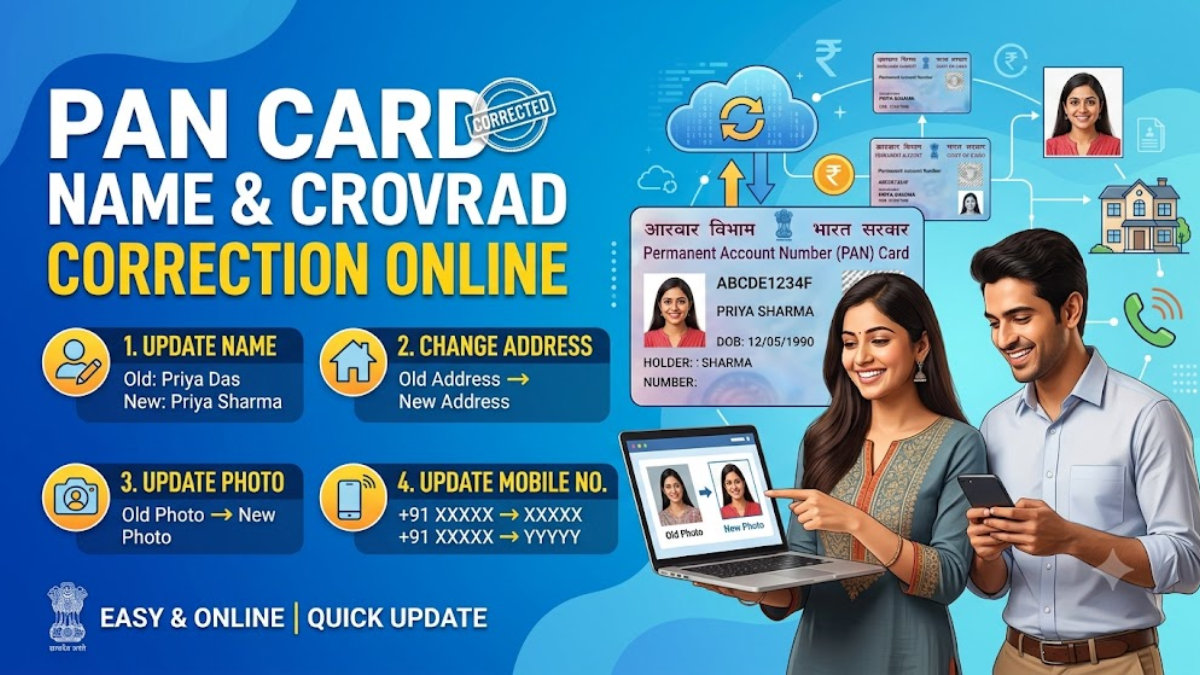
Many people need to update their PAN card because their personal information changes over time. Some common reasons include:
- Change of name after marriage
- Correction of spelling mistakes
- Incorrect date of birth
- Wrong father’s name
- Signature update
- Photograph update
- Mobile number change
- Email ID update
- Address correction
- Aadhaar linking issues
Keeping your PAN details updated helps avoid problems while filing income tax returns or completing banking transactions.
Can You Update a PAN Card Using a Mobile Phone?
Yes. You can easily update your PAN card using your smartphone. All you need is:
- A smartphone with internet access
- Aadhaar Card
- PAN Card
- Mobile number linked with Aadhaar
- Scanned documents if required
- Online payment method
The entire process is completed online.
Documents Required
Before starting the update process, keep these documents ready.
Identity Proof
- Aadhaar Card
- Passport
- Driving Licence
- Voter ID
- Government ID Card
Address Proof
- Aadhaar Card
- Electricity Bill
- Water Bill
- Passport
- Bank Statement
- Gas Connection Bill
Date of Birth Proof
- Aadhaar Card
- Birth Certificate
- Passport
- Class 10 Certificate
Other Documents
- Passport-size photograph
- Signature image
- Supporting document for name change (if applicable)
Step-by-Step Guide to Update PAN Card on Mobile
Step 1: Visit the Official PAN Service Website
Open your mobile browser and visit the official PAN card service website.
Step 2: Select PAN Correction Option
Choose the option for correction or update of existing PAN details.
Step 3: Enter PAN Details
Provide:
- PAN Number
- Full Name
- Date of Birth
- Mobile Number
- Email Address
Verify the details carefully.
Step 4: Choose Details to Update
Select the fields you want to correct or update.
For example:
- Name
- Date of Birth
- Father’s Name
- Address
- Photograph
- Signature
- Contact Information
Step 5: Upload Documents
Upload clear scanned copies or photos of the required supporting documents.
Ensure that:
- Images are clear
- Documents are not blurred
- File size meets requirements
- Correct format is used
Step 6: Verify Using OTP
An OTP will be sent to your registered mobile number.
Enter the OTP to continue.
Step 7: Pay the Application Fee
Complete the payment using:
- UPI
- Debit Card
- Credit Card
- Net Banking
Save the payment receipt.
Step 8: Submit the Application
Review all entered information.
Click Submit.
You will receive an acknowledgement number.
How Long Does PAN Card Update Take?
Normally, PAN correction requests are processed within 7 to 15 working days after successful document verification. However, processing time may vary depending on document accuracy and application volume.
Benefits of Updating PAN Card Online
Updating your PAN card online offers several advantages:
- No need to visit any office
- Saves time
- Easy mobile application
- Fast document upload
- Secure payment options
- Real-time application tracking
- Convenient from anywhere
- Paperless process
- Faster verification
Common Mistakes to Avoid
Many applications are delayed because of simple mistakes.
Avoid these common errors:
- Entering the wrong PAN number
- Uploading blurred documents
- Incorrect date of birth
- Name mismatch with Aadhaar
- Wrong mobile number
- Incorrect email address
- Incomplete application
- Signature mismatch
- Low-quality photograph
Double-check every detail before submitting your application.
How to Track PAN Card Update Status
After submission, you receive an acknowledgement number.
Use this number to check your application status online. The status page shows whether your application is under verification, approved, dispatched, or completed.
PAN Card Update Fees
The fee depends on the type of correction and communication address. The exact amount may change from time to time, so always check the latest charges on the official portal before making payment.
Is Aadhaar Mandatory?
In most cases, Aadhaar is used for identity verification and e-KYC. Keeping your Aadhaar linked with your mobile number makes the update process faster and easier.
Tips for Faster Approval
- Use accurate information.
- Upload high-quality scanned documents.
- Ensure all details match Aadhaar records.
- Verify your mobile number.
- Pay the application fee successfully.
- Save the acknowledgement receipt.
- Regularly track your application status.
Conclusion
Updating your PAN card through your mobile phone is a simple, secure, and convenient process. With online services, you can correct personal information, update your photograph or signature, change your contact details, and keep your PAN records accurate without visiting any government office. By following the correct steps and submitting valid documents, your request can be processed smoothly, allowing you to continue using your PAN card for banking, taxation, investments, and other financial activities without interruption.